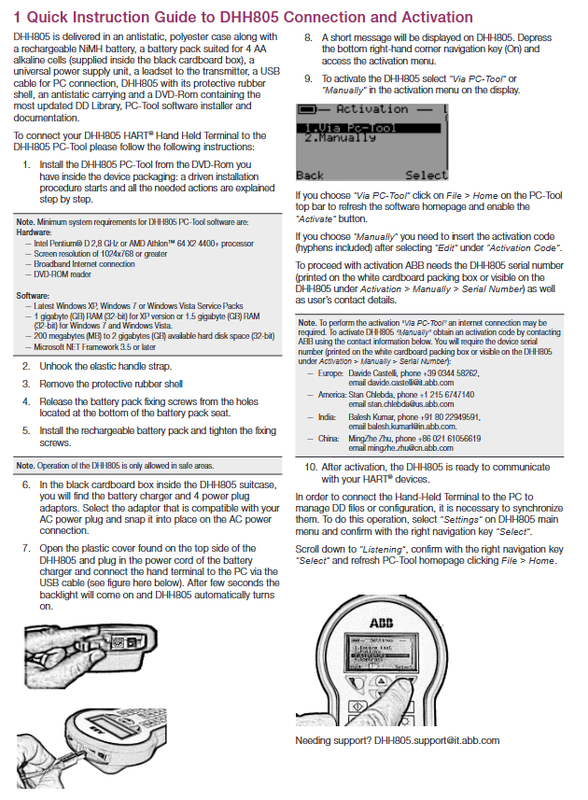
ABB DHH805-A HART Handheld Operator
Overview of Product Positioning and Application Scenarios
In the field of process industry automation, the configuration, diagnosis, and maintenance of on-site instruments are key links to ensure the continuous and stable operation of the equipment. When engineers need to modify parameters, adjust ranges, or diagnose faults of HART protocol transmitters, a reliable handheld communicator is an indispensable tool. The ABB DHH805-A is a specialized device designed for this purpose – it is a device that supports HART ® Handheld communicator with communication protocol, which can be used for HART communication ® Intelligent instruments perform on-site configuration, polling, and trimming operations.
The core value of DHH805-A lies in its extensive compatibility: it can not only seamlessly integrate with ABB’s full range of pressure, temperature, liquid level and other intelligent instruments, but also expand support for third-party suppliers’ HART devices by loading device description files (DD Library). This feature makes it a universal maintenance terminal for multi brand instrument mixing sites, especially suitable for applications with a wide variety of instrument types in industries such as petrochemicals, chemicals, power, and water treatment.
From the perspective of product form, DHH805-A adopts a classic handheld terminal design, equipped with a display screen, navigation buttons, and alphanumeric keyboard. It is wrapped in an anti drop rubber protective case and delivered in an anti-static polyester carrying case, meeting the needs of carrying and operating in harsh on-site environments.
Standard delivery list and unboxing inspection
According to ABB’s factory configuration specifications, the standard packaging of DHH805-A should include the following items, which engineers should check item by item during unpacking inspection:
DHH805 handheld communicator host (including anti-static transport box and rubber protective shell);
Rechargeable NiMH nickel hydrogen battery pack;
Backup battery compartment components compatible with 4 AA alkaline batteries (placed in a black cardboard box);
Universal power adapter (universal plug power unit);
Connect the test lead set of the transmitter;
USB data cable for PC connection;
A DVD ROM disc containing the latest version of DD device description library, PC Tool configuration software installation program, and a complete set of technical documents;
Anti static storage bag.
It should be noted that DHH805 is only allowed to be operated and used within safe areas. This is clearly warned in the installation manual. Do not bring it into explosion-proof areas for use, otherwise there may be safety hazards. If the site is operating in a hazardous area, a communication device model with corresponding explosion-proof certification should be selected.
System environment requirements for PC Tool software
Before connecting the handheld terminal, it is necessary to install the DHH805 PC Tool management software on the PC. This software is the core platform for device activation, DD file management, and configuration synchronization. Its minimum software and hardware requirements are as follows:
Hardware requirements:
Processor: Intel Pentium ® D 2.8 GHz or AMD Athlon ™ 64 X2 4400+and above;
Screen resolution: 1024 × 768 or higher;
Network environment: broadband Internet connection (for online activation);
Optical drive: DVD ROM reader.
Software requirements:
Operating system: Windows XP, Windows Vista, or Windows 7 (with the latest service pack installed);
Memory: XP system requires 1 GB RAM (32-bit), Windows 7/Vista requires 1.5 GB RAM (32-bit);
Hard disk space: 200 MB to 2 GB of available space (32-bit);
Runtime: Microsoft. NET Framework 3.5 or higher.
From today’s perspective, this environment requirement is clearly based on the earlier Windows platform. If the engineer is using a newer operating system, it is recommended to test the software running status in compatibility mode first, or directly contact ABB to obtain the latest version of PC Tool installation package.
Hardware installation and first boot steps
The following is the complete operation sequence of DHH805-A from unboxing to startup. It is recommended to strictly follow the sequence:
Step 1: Install PC Tool software. Insert the randomly attached DVD drive into the optical drive, and the installation wizard will automatically start and gradually guide to complete all installation actions.
Step 2: Unfasten the elastic carrying strap. The hook design of the portable strap is convenient for transportation and fixation, and needs to be untied before use.
Step 3: Disassemble the rubber protective shell. Gently remove the anti drop rubber cover that wraps around the body, revealing the battery compartment.
Step 4: Loosen the fixing screws of the battery pack. There are fixed screw holes at the bottom of the battery compartment, which can be released one by one with a screwdriver.
Step 5: Install the rechargeable battery pack and tighten the fixing screws. Ensure that the battery contacts are in good contact and the screws are securely fastened in place.
Step 6: Assemble the charger plug. The battery charger and four different power plug adapters are located in a black cardboard box inside the suitcase. Select the corresponding plug adapter according to the local power socket standard, insert it into the AC power interface, and confirm that the buckle is in place.
Step 7: Connect the charger to the PC. Open the plastic protective cover on the top of DHH805, insert the battery charger power cord, and use a USB cable to connect the handheld terminal to the computer. After a few seconds, the backlight will light up and DHH805 will automatically turn on.
Step 8: Enter the activation menu. The screen will display a short prompt message. Press the navigation key (On key) in the bottom right corner to enter the Activation menu.
Device activation: detailed explanation of two paths
DHH805 is in an inactive state when it leaves the factory and must be activated before it can communicate with HART ® Device communication. The activation menu provides two paths: “Via PC Tool” (via PC software) and “Manually”, which users can select through the menu on the display screen.
Path 1: Via PC Tool online activation
After selecting this method, click File>Home in the top bar of PC Tool software to refresh the software homepage. At this time, the “Activate” button will be enabled, and clicking will complete the online activation process. It should be noted that this method may require the PC to have an Internet connection.
Path 2: Manually activate
After selecting the manual mode, select “Edit” from the “Activation Code” menu and manually enter the activation code provided by ABB, taking note that it must be entered in its entirety along with the hyphen. The activation code needs to be obtained from ABB, and the following information must be provided when applying:
The device serial number of DHH805 (can be read from the white packaging box or viewed directly in the device menu Activation>Manual>Serial Number);
User’s contact information.
The contact information for manual activation application in various regions of ABB is as follows:
European region: Davide Castelli, phone+39 0344 58262, email davide.castelli@it.abb.com
Americas region: Stan Chlebda, phone+1 215 6747140, email stan.chlebda@us.abb.com
India region: Balesh Kumar, phone+91 80 22949591, email balesh.kumarl@in.abb.com
China region: MingZhe Zhu, phone+86 021 61056619, email mingzhe.zhu@cn.abb.com
After activation, DHH805 is equipped with HART ® The qualification for on-site equipment communication enables the commencement of instrument configuration operations.
Synchronous configuration between PC and handheld terminal
Activation is just the first step. In practical maintenance work, engineers often need to exchange DD files or instrument configuration data managed on the PC with handheld terminals, which requires the two to complete synchronization first. The standard operating procedure is:
Select “Settings” from the DHH805 main menu and press the right navigation key “Select” to confirm;
Scroll down to the “Listening” option, press “Select” again to confirm and put the device into a waiting connection state;
Click on File>Home on the PC to refresh the PC Tool homepage, and the software will automatically recognize and connect to the handheld terminal;
After the connection is established, data exchange operations such as DD file updates, configuration uploads/downloads, etc. can be performed.
Mastering this synchronization process is the foundation for subsequent implementation of instrument batch configuration management. It is recommended to complete the connection test between PC and handheld terminal in the office before on-site work to avoid delaying the maintenance window due to drive or connection problems after arriving at the site.
Typical on-site applications and maintenance recommendations
1. Instrument polling and recognition. After connecting DHH805 to a 4-20mA current loop through test leads, it can poll the HART devices on the loop, automatically identify the device tag number, model, and DD version, and quickly locate the faulty instrument.
2. Parameter configuration and range adjustment. Support complete configuration of on-site instruments, including range setting, unit switching, damping adjustment, etc., and can perform zero/range fine-tuning (Trim) operations to ensure measurement accuracy.
3. Continuous updates of DD library. Due to the continuous updates of third-party HART devices, it is recommended to check the DD Library version every time you connect to the PC, synchronize the latest device description file in a timely manner, and avoid the prompt of “device not recognized”.
4. The dual battery solution ensures continuous operation. The dual power supply design of NiMH rechargeable battery pack and 4 AA alkaline batteries enables handheld terminals to rely on backup battery compartments to maintain operation even in remote areas where charging is inconvenient, which is particularly practical in long-term inspections.