Yokogawa AIP830 Single Circuit Operation Keyboard
Overall hardware specifications
Product positioning: DCS operator station dedicated tablet industrial keyboard, used for process control and factory monitoring operations.
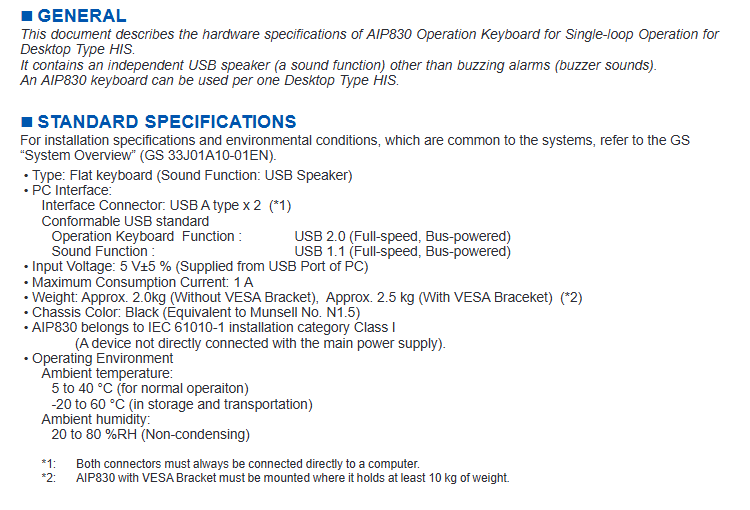
USB port
Two A-type USB interfaces, both USB cables must be directly connected to the computer and cannot be switched to a hub.
Keyboard function: USB 2.0 full speed, bus power supply;
Audio speaker: USB 1.1 full speed, bus powered.
Electrical parameters
Input: 5V ± 5%, powered by the USB port of the PC;
Maximum consumption current: 1A;
weight
The installation position and structure of VESA bracket must be able to withstand a load of at least 10 kg.
Without VESA bracket: approximately 2.0 kg;
With VESA bracket: approximately 2.5 kg;
Shell color: Black (equivalent to Munsell color N1.5).
Safety level: IEC 61010-1, installation category Class I, equipment not directly connected to the main power supply.
environmental conditions
Normal operating temperature: 5 ° C to 40 ° C;
Storage/transportation temperature: -20 ° C to -60 ° C;
Humidity: 20-80% RH, no condensation.
System level installation and environmental conditions refer to document GS 33J01A10-01EN ‘System Overview’.
Keyboard key layout and function
The keyboard includes alphanumeric keys, dedicated operation keys, window call keys, and 64 user-defined function keys for process control and factory monitoring. Main button partition:
Mode selection switch: Choose whether to configure this hardware switch based on the suffix code.
64 user-defined function key areas: process operation, monitoring shortcut keys.
Operation confirmation button: There are two icon styles, Type-A and Type-B, selected by the model suffix.
Data input button, page flipping button; The Page key, combined with the Fn key, serves as a volume control.
Window call key, container window key.
Number keypad area.
Cursor movement key: Use the Fn key as a scroll key.
Alarm confirmation button, buzzer reset button.
Clear screen button: By default, Fn combination is required to trigger, which can be changed to take effect directly through hardware settings.
Fn function combination key: realizes secondary functions such as volume, scrolling, and screen clearing.
Built in speaker: USB audio output; Built in electronic buzzer, used for alarm beep notification.
POWER power indicator light.
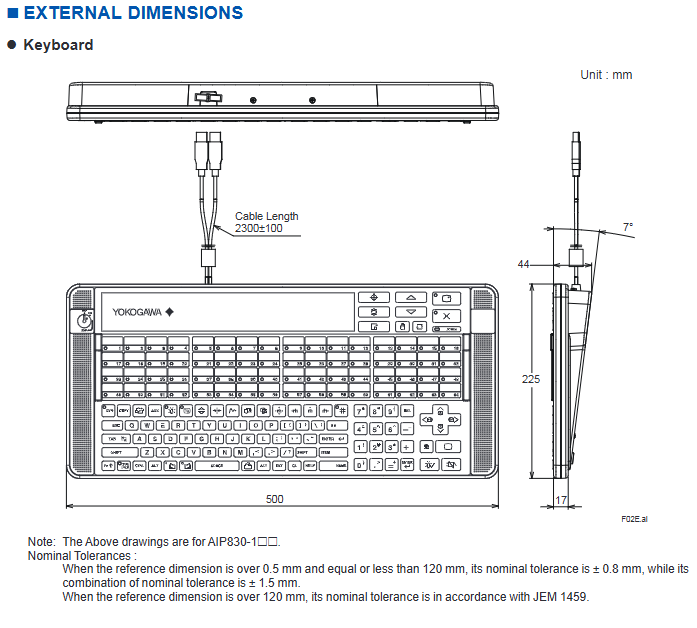
Appearance and installation dimensions (unit: mm)
Keyboard body
Total width: 500 mm; Total height: 225 mm; Thickness: 17 mm; Cable length: 2300 ± 100 mm; Cable output can be deflected by 7 °.
VESA mounting bracket
VESA hole position is compatible with standards and fixed with 8 M4 × L10 screws; The drawing provides all positioning dimensions.
tolerance standard
0.5~120 mm: ± 0.8 mm; Combination size ± 1.5 mm;
120 mm follows the JEM 1459 industrial standard.
Model suffix and option code
Example of complete model format: AIP830-111/VESA/EIM
Encoding meaning
AIP830 basic model, single circuit operation keyboard
1st suffix: 0 No mode selection switch
First suffix: 1 with mode selection switch
Second suffix: 0 operation confirmation button Type-A
Second suffix: 1. Operation confirmation button Type-B
3rd suffix: 1 fixed position, always 1
Option/VESA comes with VESA mounting bracket
Options/EIM English manual
Options/JIM Japanese Manual
Compliance Certification Instructions
Safety, EMC:CE、CSA、RCM、KC、EAC、 Moroccan C م mark.
Important note: AIP830 itself does not obtain complete certification separately; The overall compliance depends on whether the connected PC host has the corresponding certification mark. The EN 61000-3-2 and EN 61000-3-3 standards in CE certification are not applicable to this product.